Setup & Comfort · 4K Rhythm Games
Best 4K Keybinds & Scroll Speed
Bad keybinds and a messy scroll speed can hold you back for months. Here is how to set up a clean, comfortable 4K layout that scales all the way to top-level play.
1. Switch to split-hand keybinds immediately
Playing 4K on WASD or Arrow Keys with one hand puts a hard ceiling on your speed and causes wrist strain. Split the 4 lanes across both hands using your index and middle fingers:
- Classic comfortable spreads: DF JK, AS KL, ZX ,., or A S ; ' (pick whatever lets your shoulders stay relaxed and wide, not hunched together).
- Avoid cramped hands: leave at least 2 to 4 keys between your left and right hands so your wrists stay straight.
2. How to find your ideal scroll speed
Scroll speed does NOT change how fast the song is. It only changes how spaced out the notes look on screen.
- Too slow: notes bunch together into an unreadable wall on dense streams.
- Too fast: you react late and panic on sudden speed changes.
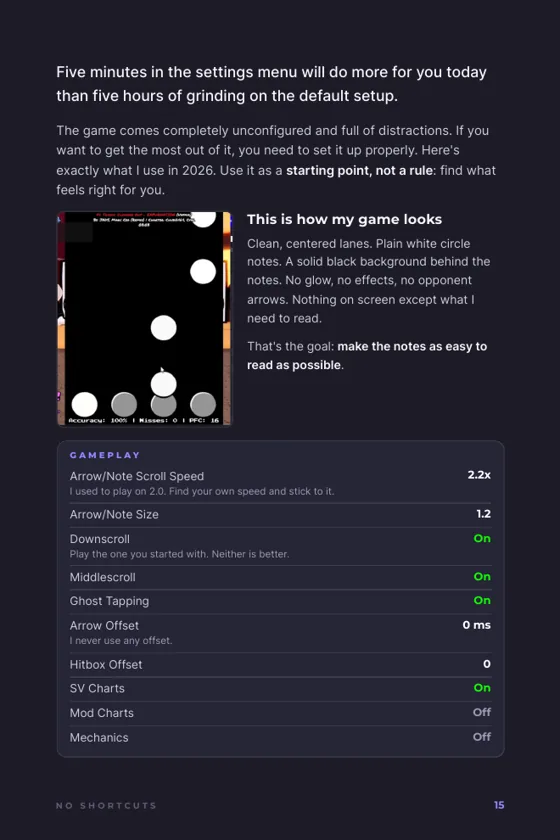
- How to dial it in: raise your scroll speed by small steps (+1 in osu!mania, +0.1 in Funky Friday) until dense streams have clear gaps between notes, then leave it alone for at least 2 weeks.
- My exact numbers: I use 2.2x in Funky Friday and 30 (at 1280×800) in osu!mania.
3. Downscroll vs. Upscroll
Neither is objectively better: World Cup champions play both. Pick whichever feels natural to your eyes and stick with it. Switching back and forth every week only resets your reading muscle memory.
Complete Setup & Training · No Shortcuts
Ready to fix your setup and level up faster?
No Shortcuts covers settings, skin choices, offset, pattern reading, and a complete 4K progression plan across Funky Friday, FNF, and osu!mania.